How do I change the default set of Group permissions for Owners, Managers and Members

How do I have SYSTEM WIDE change the permission schema for Owners, Manager and Member?

I know there is an override to the default possible but it is a tedious operation having to do this for every permission setting

The use case is: I have a community where owners permissions need to be reduced to manager role.

Though your reaction is: Why do you not assign manager role to them? The system also has other hard wires to the owner role that are needed for this owner- role.

I just need to take away on system level owner permissions instead of having to deselect it every time I create one of hundreds of groups.

Parents
No Data
Reply
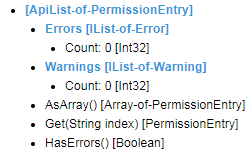
  • Ah yes.. I should have opened up that part of the response in the video so you could see what it had inside.. but in my head, I already knew (from looking before) that it was empty Wink  e.g.

    I'd been toggling on/off those permissions as I tested.. at the bottom (not on the recording) Read Blog is enabled, so not all of them were disabled/unassigned.

    BTW, this is on v11.1.8.16788.

Children
  • Former Member
    0 Former Member in reply to Matt

    Hmm, I'm unable to replicate this issue - Can you confirm that the permissions are registered in the database?

    SELECT * 
    FROM cs_Security_NodeTypePermissions ntp
    INNER JOIN cs_Security_Permissions p on p.PermissionId = ntp.PermissionId
    WHERE ApplicationTypeId = 'CA0E7C80-8686-4D2F-A5A8-63B9E212E922'