

This article documents the process of upgrading existing communities. Before starting your upgrade:
- Review upgrade notes
Check current and previous upgrade notes listed the release notes to see if you are impacted by any changes that should be reviewed before or after an upgrade. - Check system requirements
Confirm you have all the required system requirements. - Take backups
You should ensure you have backups before starting an upgrade so you can roll back if anything goes wrong in the upgrade process - Acquire updated license
If running on a commercial edition of Community, ensure you have a license with support for the new version. This can be obtained from our Support team.
Upgrading from Pre-14 Versions
Versions prior to Community 14 use the legacy non-containerized architecture and require a different upgrade process.

Upgrading from Community 14 or Later
Community 14+ deployments already use the modern containerized architecture introduced in v14.
Review User Experience Changes
After upgrading, if there were any user experience updates as part of the upgrade, a system notification will be sent to the administrators of the community to provide next step options. For more details about upgrading the user experience based on these options, see How do I upgrade the user experience of my community?
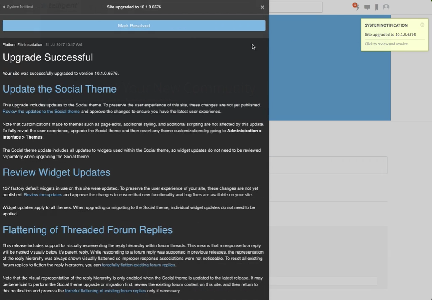
Note that it is highly recommended to go through the User Experience update process. This process is necessary for reviewing theme and widget updates that are included with the upgrade.
