


The Community platform uses a multi-level cache to improve overall site performance:
- Context Cache - Used for short-lived data associated to an individual request / process. This cache level is rarely used.
- Process Cache - Closest/long-lasting cache unique to each web and job instance. This cache is very fast as data is stored in its native format (not serialized), but, an application restart will clear this cache.
- Distributed Cache - The longest-lasting cache shared among all web and job instances. This cache is slower than the process cache and requires data to be serialized (data is not stored in its native format) but it lasts through application component restarts and allows cached data to be consumed by multiple web/job instances.
When data is retrieved, it is attempted to be retrieved from the lowest applicable cache first through the highest applicable cache. When an item is found in a higher cache, the data is copied to applicable lower caches for faster access in the future. Cached data is not expired by time but less used data is expired from the cache when the cache reaches its maximum allowed size to allow newer or more frequently accessed data to be cached.
Cached data is also expired (removed) when data is changed/deleted to ensure that cached data is kept up to date. Verint Community also has multiple checks to ensure that temporary communication issues do not result in stale data existing within the cache.
Setting the Cache Size
Context Cache
The context cache size is not configurable and is limited to a maximum of 100 cache entries.
Process Cache
For self-hosted sites, the process (per web/job instance) cache size can be set by going to Administration > Site > Cache. For Verint-hosted sites, the cache size is not able to be modified but the configured maximum will be displayed.
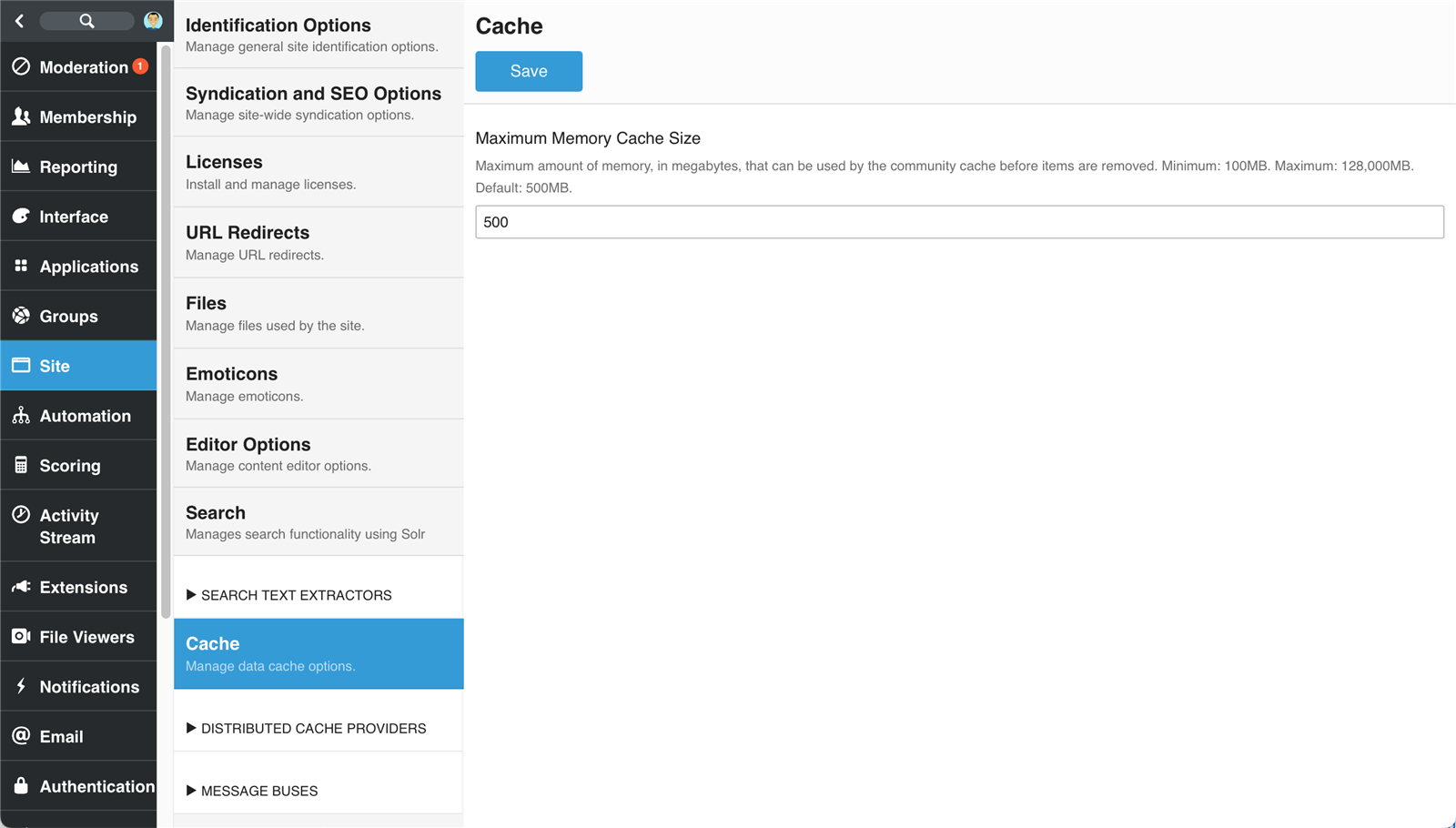
The cache is designed to keep the most frequently accessed data readily available and the cache tries to stay as full as possible. In general, the default maximum cache size of 500MB is more than sufficient. For sites with high numbers of users, groups, or content, it may be beneficial to increase the maximum cache size. Note, however, that a full cache is not necessarily a sign of a problem. If, when monitoring the cache, cache misses outnumber cache hits and are duplicated, it may be a time to increase the maximum size of the cache.
Distributed Cache
The distributed cache size depends on the distributed cache implementation. See documentation about the configured distributed cache implementation to determine available options. Installed Distributed Cache Providers can be enabled and configured by going to Administration > Site > Distributed Cache Providers.
Monitoring the Cache
You can monitor the cache by going to Administration > Monitoring > Cache. Start a monitoring session by clicking the start.
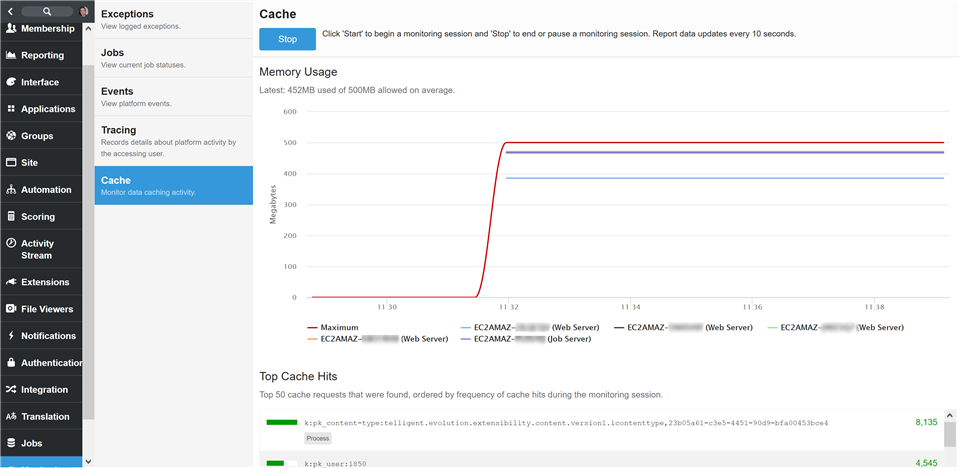
The monitoring session includes the following:
- Server List - A list of all servers (web and job) running the community. Unchecking a server from this list removes the metrics from this server for all reports during the current session.
- Hits and Misses Chart - Reports the number of hits and (green) and misses (red) per server as well as the total number of items cached. A server count can be individually removed by clicking the server name in the X-axis.
- Memory Usage Chart - Reports the amount of memory (in MB) used by the cache per server. A server can be individually removed by clicking the server name in the X-axis.
- Top Hits - Lists the top 50 cache hits and misses during the current session.