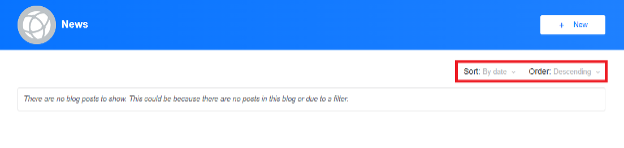
Instructions for Adding Labels to the Sort and Order Dropdowns
The Sort and Order dropdowns are available in the following widgets:
- Blog - Post List
- Forum Thread - List
- Media Gallery - File List
- Ideas - Idea List
You can apply the same steps to these widgets, as well as any other widgets that require similar label updates.
- Navigate to Administration -> Interface -> Widget Studio.
- Search for the widget you want to update (for example, Blog - Post List).
- Open the list.vm file.
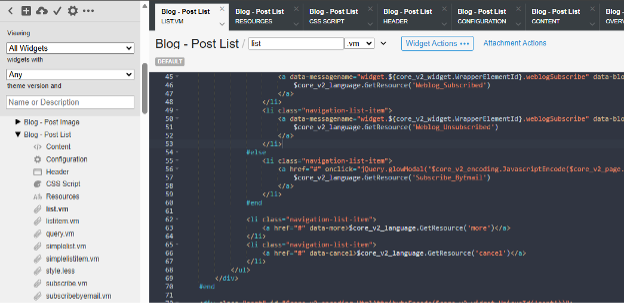
- Search for the following code (ctrl+F):
<select class="ui-select" data-querykey="PostSortBy">
- Add the following line above it: <label>$core_v2_language.GetResource('Sort_Label')</label>

- Search for the following code (ctrl+F):
<select class="ui-select" data-querykey="PostSortOrder"> - Add the following line above it:
<label>$core_v2_language.GetResource('Order_Label')</label>
- Go to Resources and click Add Resource
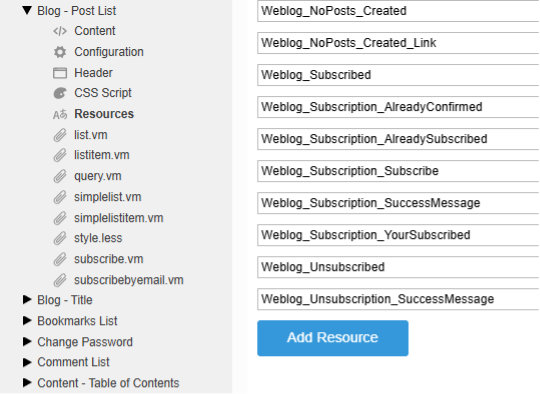
- Add the following resource entries:
|
Key |
Value |
|
Sort_Label |
Sort: |
|
Order_Label |
Order: |
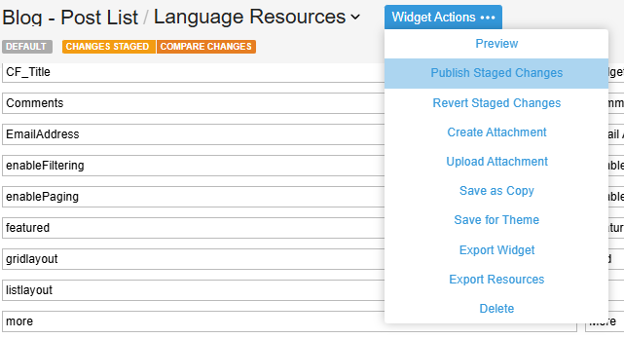
- Click Widget Actions on the top toolbar and select Publish Staged Changes