


There are a few configuration options that can be used to limit the types of files in a media gallery.
File Types
Additional file options are available when viewing the media gallery and navigating to Manage > Manage Gallery > File Options:
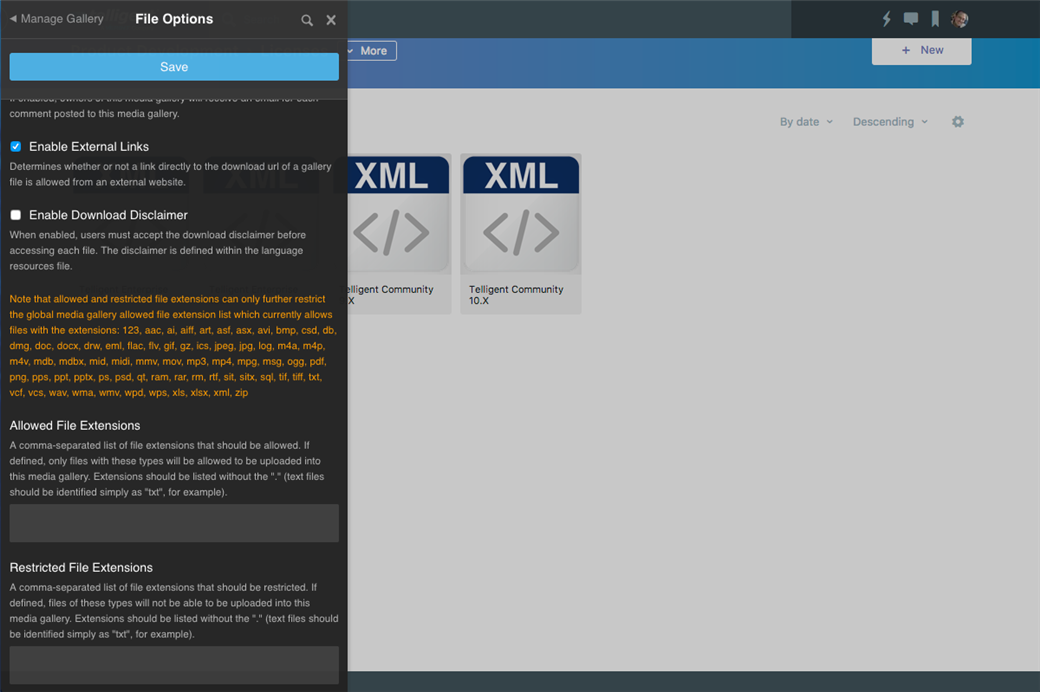
The Allowed File Extensions and Restricted File Extensions lists can be used to define the list of allowed or restricted file types by file extension. Note that this list is limited to the file types allowed for all media galleries (set in Administration > Applications > Media Galleries which is limited by Filtering Options ). If you make any changes, be sure to click Save to commit the changes.
Local and Remote Files
To control whether remote files (by URL) or local files (by upload) are allowed, review the Link to URLs as Media and Upload Files as Media permissions in Manage > Manage Gallery > Permissions.