


Enable Blogging by Email
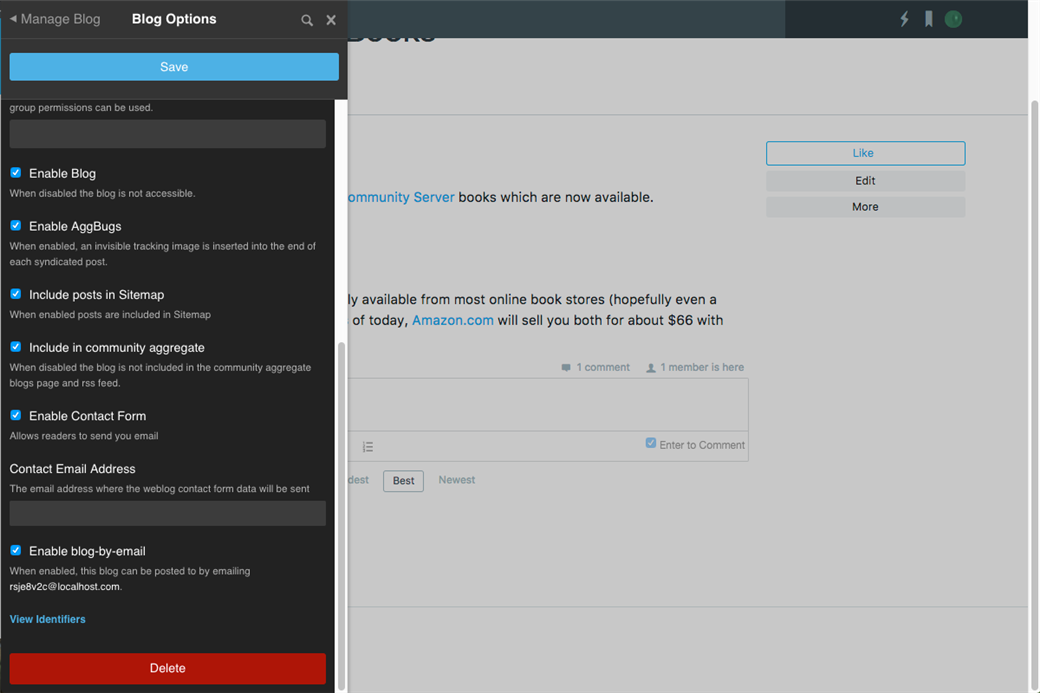
To ensure that blogging by email is enabled, navigate to the blog, Manage > Manage Blog > Blog Options, ensure that Enable blog-by-email is checked. If not, check the box and click Save.
Creating Posts
Collect the email address to email the blog by navigating to the blog, Manage > Manage Blog > Blog Options, and scroll down to the Enable blog-by-email option which, when enabled, will show the email address for the blog. For example, for this blog, the address is rsje8v2c@localhost.com:
Using an email client, create a new email to the email address for the blog. The email subject will be the title and the content of the email will be the body of the blog post.