Verint Community provides functionality to redirect URLs when they do not match current content. Verint Community automatically defines redirects when groups, applications, or content is moved, converted, or renamed but also exposes this redirection functionality for custom uses.
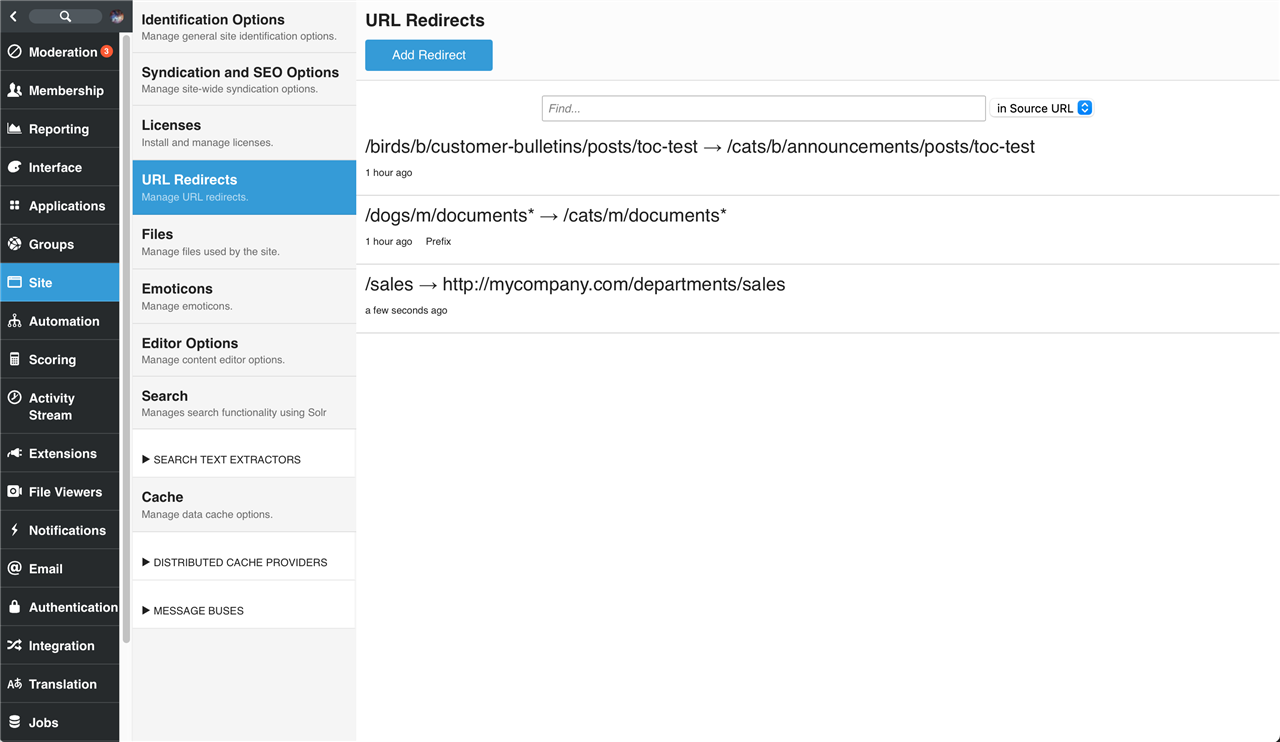
URL Redirects can be viewed and managed by going to Administration > Site > URL Redirects:
How do Redirects work?
When Verint Community handles a web request, it first attempts to find a match among currently active URLs/content. If no match against current content can be found (which would normally result in an HTTP 404 response), Verint Community will attempt to match the requested URL to current URL redirects. When matching potential redirects, Verint Community selects the most specific (longest) match if the requested URL matches multiple URLs.
When a URL redirect includes query string parameters, Verint Community first matches all potential redirects based on the path component of the redirect source then reviews the query string to see if all key/value pairs defined by the redirect source exist on the requested URL. Only if all query string parameters match will the URL redirect source match and the redirect be followed by Verint Community.
Reviewing Redirects
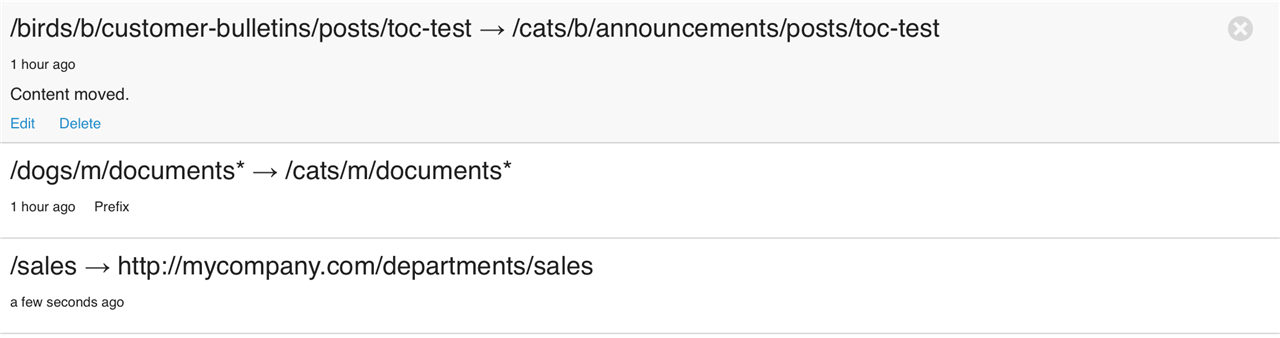
Each redirect shows the source URL (relative to the root of the Community domain) and its redirect target (relative to the root of the Community domain if hosted on the same domain). URL redirects that are prefixes, meaning that any URL that starts with the prefix will be redirected while preserving the suffix, end with asterisk.
When redirects are created, descriptions of their purpose can be provided. For example, for content that has been moved, the description is "Content moved.":
Creating Redirects
To create a new redirect, click "Add Redirect."
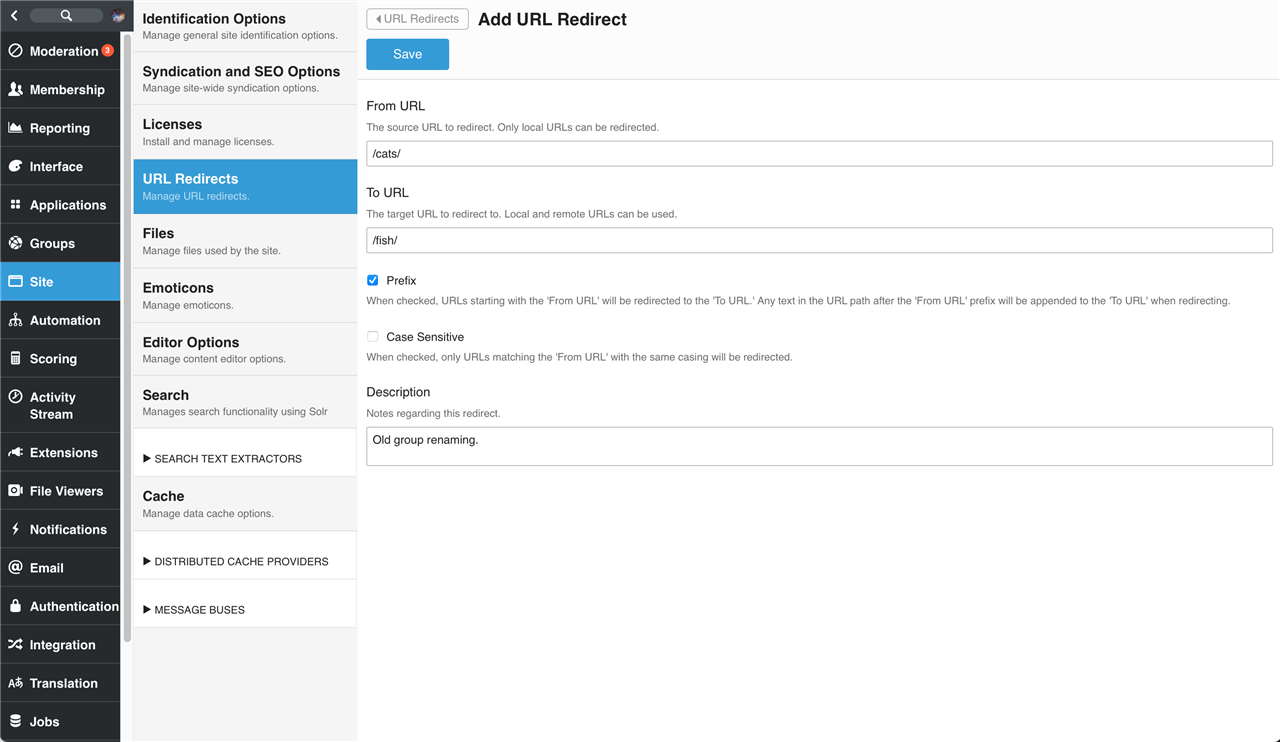
Then specify:
- From URL -- this is the source URL to redirect from. This can be a fully qualified URL or a relative-to-root URL. It must be a local URL (Verint Community can't redirect URLs it doesn't handle). Verint Community will standardize it when saving.
- To URL -- this is the target URL to redirect to. This can be a fully qualified URL or a relative-to-root URL. Verint Community will standardize it when saving. External URLs are valid targets.
- Prefix -- When checked, the From URL and To URL are considered prefixes so a value of
/cats/would match all URLs starting with/cats/including/cats/dogs/birds. When a prefixed URL is matched, the path information after the prefix is appended to the To URL when calculating the target redirect URL based on a matching URL request. For redirects which are not prefixes, the full path of the From URL must match a requested URL to be redirected. - Case Sensitive -- When checked, the path component of the From URL does not need to match the casing of a requested URL to match. Query string components must always match case.
- Description -- An optional description to help identify the purpose of the redirect.
Redirect Optimization
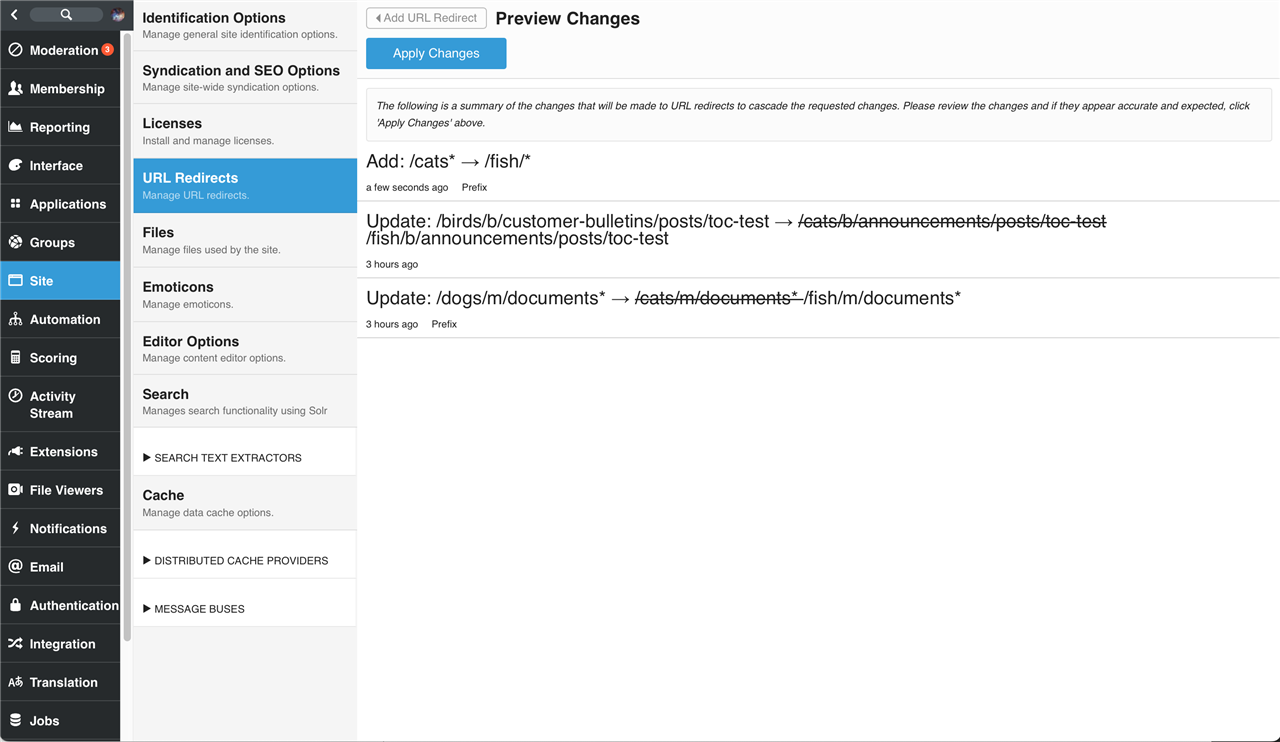
When creating or editing a redirect, Verint Community simplifies existing redirects to optimize redirect processing--during the save process, if changes would affect (or override) existing redirects, those changes will be presented for review before Verint Community applies the changes: